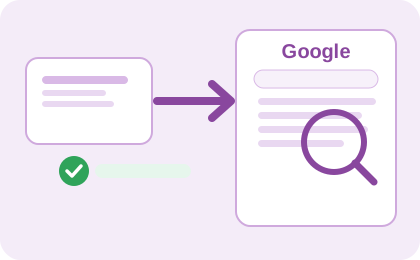
Quick Indexer helps you get your URLs indexed by Google and other Search Engines in a few hours. Do not wait for months, losing potential traffic.
For SEO Experts
We do last mile SEO. We bring Googlebot to visit your pages quickly.
Give us URLs or let us discover problematic URLs on your website. We index your URLs so most of them will be in Google by the next day.
For Marketers and Website Owners
Bring more customers from search engines to your website. Get more customers from Organic Search, spend less for paid Ads.
You might have a new website, all SEO features OK, but still you are not in Google Search Results, because Google did not come yet to crawl and index your website. We make Googlebot to come to your pages to crawl and index them quickly.
Why Choose Quick Indexer?
Our service is designed to be fast, reliable, and easy to use, making it the perfect solution for website owners looking to improve their search engine visibility.
- Google indexer that simply works!
... see our reliability - We are transparent, no black box, we explain you, how it works!
... see how we can bring Googlebot to your pages - You pay only for successful operations, you consumed.
Benefits of Using Quick Indexer
- Fast indexing: Get your URLs indexed by Google in a few hours.
- Improved visibility: Increase your chances of being found by potential customers.
- Easy to use: Our user-friendly interface makes it simple to submit your URLs for indexing.
Use Cases
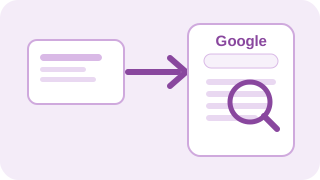
New Website quickly in Google
Having a new website with lot of pages. Do not wait a year to get to google search.
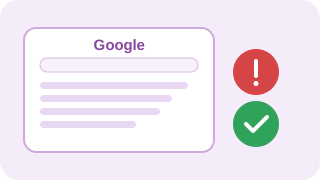
Fix Issues in Google SERP
Need to fix a problem - google results contains broken pages, dev version of website,...

Site SEO Audit
Audit my site. Site health check, check list what to fix to have SEO friendly web + chance to immediately index such pages.
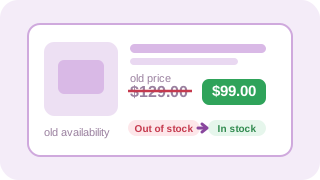
eCommerce Product Updates in Google
eCommerce site without products indexed → no organic sales of such products
Case Studies

NasePraha.cz: 98% success rate
2196 pages were discovered but not indexed in Google Search Console. In two weeks, 98% of these pages were successfully indexed.
Read case study »
JimeJinak.cz: 98.8% indexation rate in 11 days
412 pages were discovered but not indexed in Google Search Console. In 11 days, 98.8% of these pages were successfully indexed.
Read case study »
SingleQueen.cz: 13% more indexed pages in a short time
I had been struggling with issues in Google Search Console for a long time - slow indexing, "Discovered - currently not indexed" statuses, and underused content potential. Using QuickIndexer.com was a major turning point for me.
Read case study »References
Coming soon ... we need time to write them down.